Read the original article in Japanese
English adaptation of a Japanese comparison dated April 9, 2026, revised April 11. The prices and positioning below are historical; current plans, model capabilities, pricing and restrictions require rechecking.
It is difficult to choose an AI subscription based on model names alone. ChatGPT, Claude, Cursor, and GitHub Copilot can all be useful, but the decisive question is often where you spend your workday.
If most of your work consists of research, architecture, writing, and requirements discussions, start with a tool you can use comfortably outside the IDE. If you spend hours editing code, start by evaluating an IDE-centered assistant.
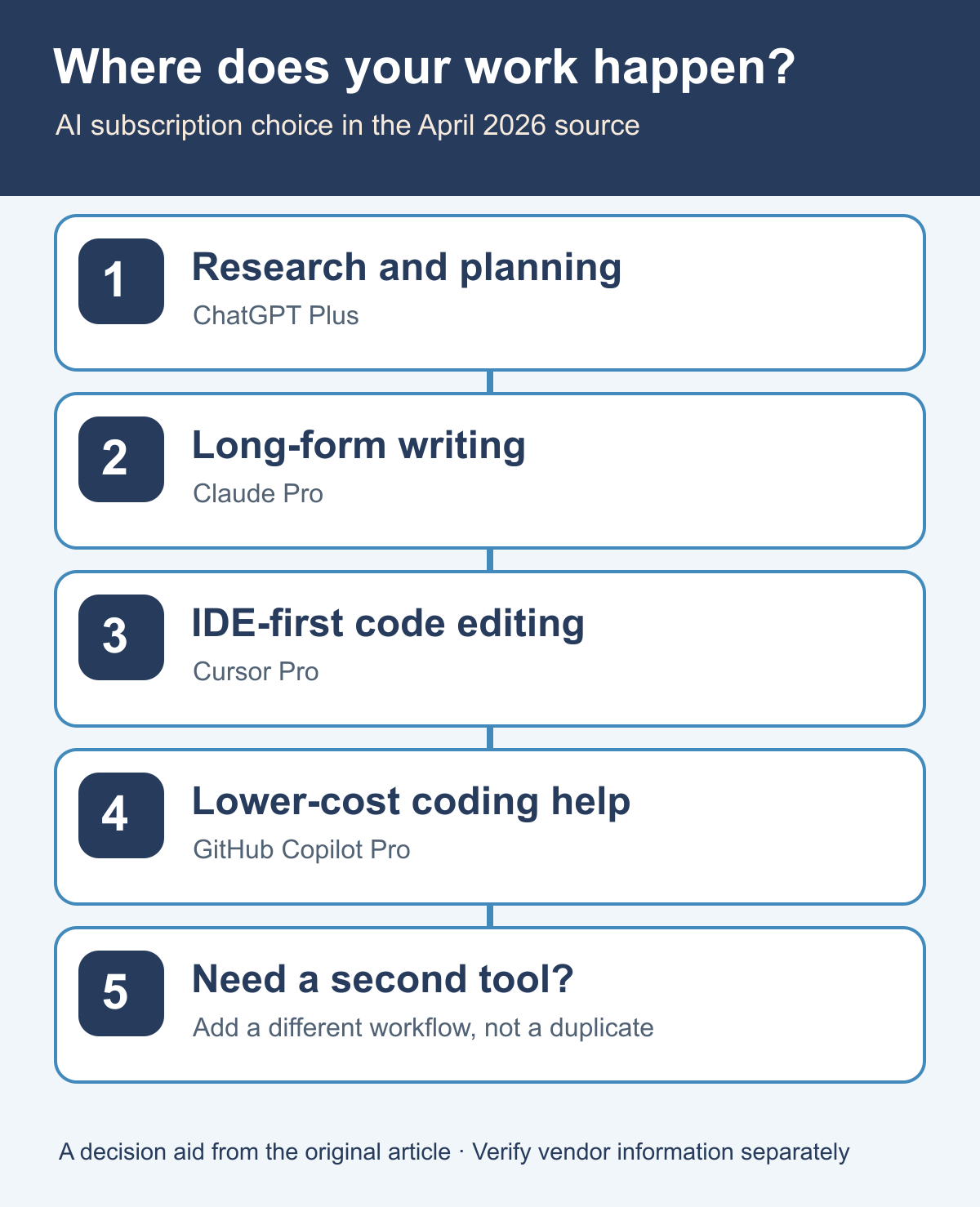
The short version
In the original April 2026 comparison, the starting options were:
- ChatGPT Plus for broad research, drafting, design discussions and daily tasks.
- Claude Pro when working extensively with text, summaries and longer-form reasoning.
- Cursor Pro when the primary task is editing and implementing software inside an IDE.
- GitHub Copilot Pro as a lower-cost starting option for completion and integrated coding assistance.
The tools and their plans evolve quickly. This is a historical recommendation structure, not a statement that a particular model is currently strongest.
Historical plan comparison
| Tool | Price stated in the Japanese source (April 9, 2026) | Suggested workflow |
|---|---|---|
| ChatGPT Plus | US$20/month | General research, planning, coding questions and writing |
| Claude Pro | US$20/month | Text-heavy review, long documents and iterative discussion |
| Cursor Pro | US$20/month | IDE-centric implementation and agent-assisted code changes |
| GitHub Copilot Pro | US$10/month | Code completion, coding chat and GitHub-connected workflows |
The source explicitly excluded annual discounts and higher tiers. Do not use these amounts as current price quotes without checking the vendors' official sites.
The first decision: browser or IDE?
If you frequently move between specifications, webpages, documents, and diagrams, a broader chat-oriented assistant may be easier to use for the initial thinking.
If your day centers on repository navigation, code edits, tests, and reviews, an IDE assistant may fit naturally into the workflow.
Actual product capabilities overlap; this is an initial decision axis, not a claim that one category cannot perform tasks associated with another.
How the original article saw each option
ChatGPT Plus
The advantage was broad applicability: research assistance, summarization, design questions, draft development, and occasional coding support. I regarded it as a reasonable first subscription for someone who wanted an assistant beyond the editor.
Claude Pro
The original article favored Claude for carefully revising longer text and thinking through detailed written material. It was positioned as useful for design notes and editorial work, not as a guaranteed winner in every reasoning benchmark.
Cursor Pro
The strongest reason to choose Cursor was the working environment. When you want an assistant to help modify code as part of ordinary IDE work, integration can matter more than debating standalone model labels.
GitHub Copilot Pro
Copilot was treated as a relatively affordable way to improve coding assistance and completions in a familiar development workflow. The comparison distinguished that from using an editor as a larger agent-based work environment, but product boundaries can change.
When to consider a second subscription
The source suggested combining distinct upstream and implementation roles, for example:
- ChatGPT Plus + Cursor Pro
- Claude Pro + Cursor Pro
- ChatGPT Plus + GitHub Copilot Pro
It did not recommend buying two subscriptions immediately. The preferred sequence was to use one for a month, notice a specific unmet need, and add a second only when it solves that need.
Three mistakes to avoid
Choosing by brand or benchmark alone. A technically impressive tool provides little value if you do not use it in daily work.
Starting with an expensive tier. A basic individual plan is a better experiment unless you already know you need higher limits or special features.
Demanding that one tool perform every role. Sometimes separating planning from IDE implementation improves the workflow. Sometimes one service remains enough; duplication should be justified by actual usage.
FAQ
Are free plans enough? For exploration they may be. Higher usage frequency or limits may make a paid plan worthwhile, depending on the current offerings.
Should I subscribe to two from the start? I would not. Identify the first bottleneck and trial one tool.
What about personal development or a side-project blog? The original article leaned toward a general-purpose assistant first, with an IDE tool added as implementation time increased. Today that should be reassessed against available products.
A more reliable buying test
Before choosing, record the proportion of your time spent in research and writing versus coding and testing. Run a representative task through the shortlisted tools, and evaluate the actual workflow—including supervision and corrections—not only the first generated answer.
That protects you from paying for a tool that sounds impressive but sits unused.
Related articles: using Codex and WP-CLI for WordPress and choosing paid blog tools by bottleneck.