Read the original article in Japanese
English adaptation of a Japanese article dated April 9, 2026 and updated April 11. The prices below are historical observations from April 9, not current prices or recommendations to subscribe without rechecking.
Running a WordPress blog involves research, drafting, planning, graphics, SEO, and distribution. You can buy a separate tool for nearly every stage, but that can easily create overlapping subscriptions without removing the actual obstacle.
My rule is to pay for the stage that is slowing you down right now, and add a second tool only when it solves a different problem.
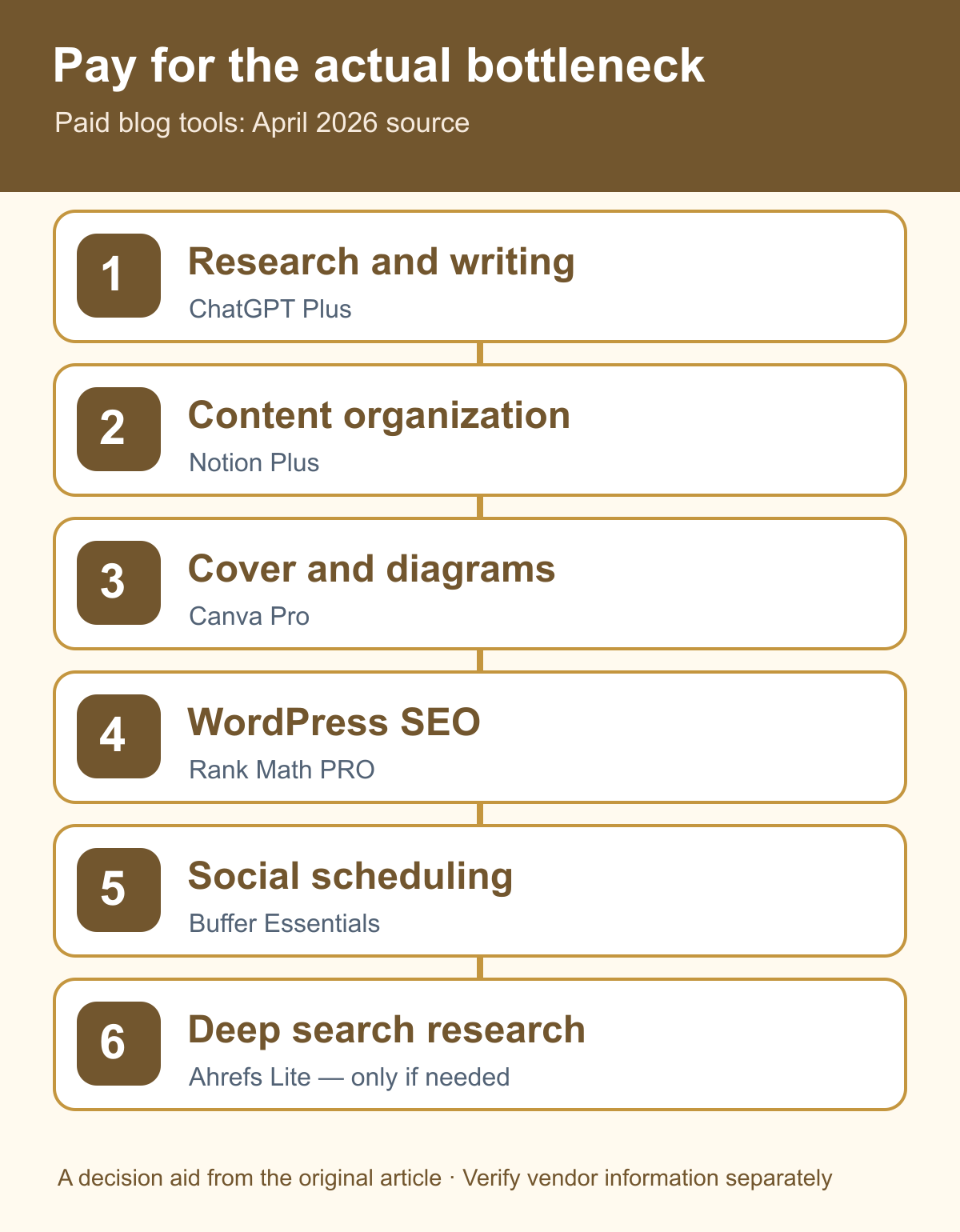
Which tool solves which problem?
The original article considered these six tools:
| Tool | Historical price in the source (April 9, 2026) | Purpose |
|---|---|---|
| ChatGPT Plus | US$20/month | Research assistance, outlines, draft development, editorial discussion |
| Notion Plus | US$10/member/month | Idea inventory, draft tracking, publication notes |
| Canva Pro | Price not reliably confirmed | Covers, diagrams, image sizing |
| Rank Math PRO | US$7.99/month on an annual-billing basis | WordPress SEO tools and metadata |
| Buffer Essentials | US$5/month per channel on an annual-billing basis | Scheduled social distribution |
| Ahrefs Lite | £99/month | Search research and competitor analysis |
Every listed amount was attached to the source's April 2026 check, and some plans or features may since have changed. No measured time savings, conversions, or incremental profit were provided for these products.
Start with just one subscription
If research and writing slow you down: ChatGPT Plus
When the obstacle is getting started, organizing complex material, or revising wording, an AI writing assistant can help draft outlines and compare alternatives.
The source considered ChatGPT Plus a flexible first paid tool because it could be used across several writing and research tasks. It still requires human verification of claims, sources, and any commercially significant recommendation.
If content is scattered: Notion Plus
If ideas, drafts, published URLs, internal-link opportunities, and improvement notes are fragmented, a planning tool can make the editorial pipeline visible.
Notion Plus may fit this problem better than paying for more content generation. But the important capability is the workflow itself; free tools may be sufficient for a small blog.
Tools for the next bottleneck
Canva Pro — graphics. Consider it when covers, resizing, templates, and reusable visual standards repeatedly hold up publication.
Rank Math PRO — WordPress SEO workflow. It can support titles, metadata, schema-related configuration, and other SEO tasks depending on the plan. Buying a plugin is not equivalent to earning search traffic.
Buffer Essentials — distribution. The source considered it for planning announcements on X or LinkedIn. Scheduling must still follow each platform's rules and the blog owner's publication controls.
Ahrefs Lite — deeper search research. I would defer this comparatively expensive option until the site has a clear reason, enough content, and a repeatable process for using competitive research. It is not mandatory for an early-stage personal blog.
Grammarly Pro — optional English editing. It appeared as a narrower supplementary option in the original article; it is not the first broadly useful blogging subscription for everyone.
Combinations to consider only after a bottleneck appears
- ChatGPT Plus + Notion Plus: drafting and managing work.
- ChatGPT Plus + Canva Pro: drafting and design.
- ChatGPT Plus + Buffer Essentials: drafting and scheduled distribution.
- Notion Plus + Rank Math PRO: workflow tracking and WordPress SEO.
The source also mentioned Rank Math PRO as a possible first purchase for a specifically WordPress SEO-focused problem. This does not override the principle of purchasing for a defined need.
Common mistakes
Subscribing to every familiar product
Without distinct jobs, several tools can duplicate functionality. Track which task is actually costing time before committing to a subscription.
Starting with advanced SEO software too soon
If publishing is inconsistent or the site has not identified a reader problem, deep keyword tools may not be the current constraint. Better research is valuable only when you can use it to improve content and measure outcomes.
Letting images delay every post
If article text is ready but the cover and in-body diagram repeatedly remain unfinished, reusable design templates may be more valuable than another writing tool.
FAQ
Should I buy three or more tools at the beginning? My recommendation in the source was no: begin with one, at most two, then reassess the actual bottleneck.
Are free tools sufficient? They can be, particularly for the first few posts. A paid tool makes more sense after you can identify what it saves.
Does a small personal blog need Ahrefs? Not necessarily. It may become relevant later if deeper search research is an active, measurable part of the workflow.
A better purchase test
Before subscribing, write down the recurring task, its frequency, time spent, and what success would look like. Try the narrowest useful tool. After a short trial, compare the results against its cost and effort.
That is a stronger decision rule than buying every tool that appears on another blogger's list. The source did not measure a causal return on investment for these subscriptions.
See the AI tools comparison for engineers and Codex/WP-CLI publishing workflow for related workflows.