Read the original article in Japanese
English adaptation of the Japanese article published April 13, 2026. This describes changes to the author's fork, not a feature guarantee for every ccpocket installation.
I use ccpocket, a fork of an open-source Flutter app, to access Claude Code and Codex from an iPhone. I wanted the session screen to show how much of each service's rate-limit allowance remained. I also needed a practical way to update the iPhone app from a Mac mini without connecting a USB cable every time.
This article covers the changes I made, the data flow behind the usage card, and the wireless development process. The technical details reflect that setup at the time of writing.
What changed in the fork
I made four related changes:
- Added Claude Code and Codex rate-limit cards to the ccpocket session list.
- Enabled usage retrieval in the Mac-side bridge with
BRIDGE_ENABLE_USAGE=1. - Updated the Flutter iPhone app wirelessly on the same Wi-Fi network.
- Made a repository-level skill workflow available to both Claude Code and Codex.
The usage display and wireless deployment are separate concerns. One is a bridge-to-client data path; the other is a developer workflow.
1. Enable usage retrieval in the bridge
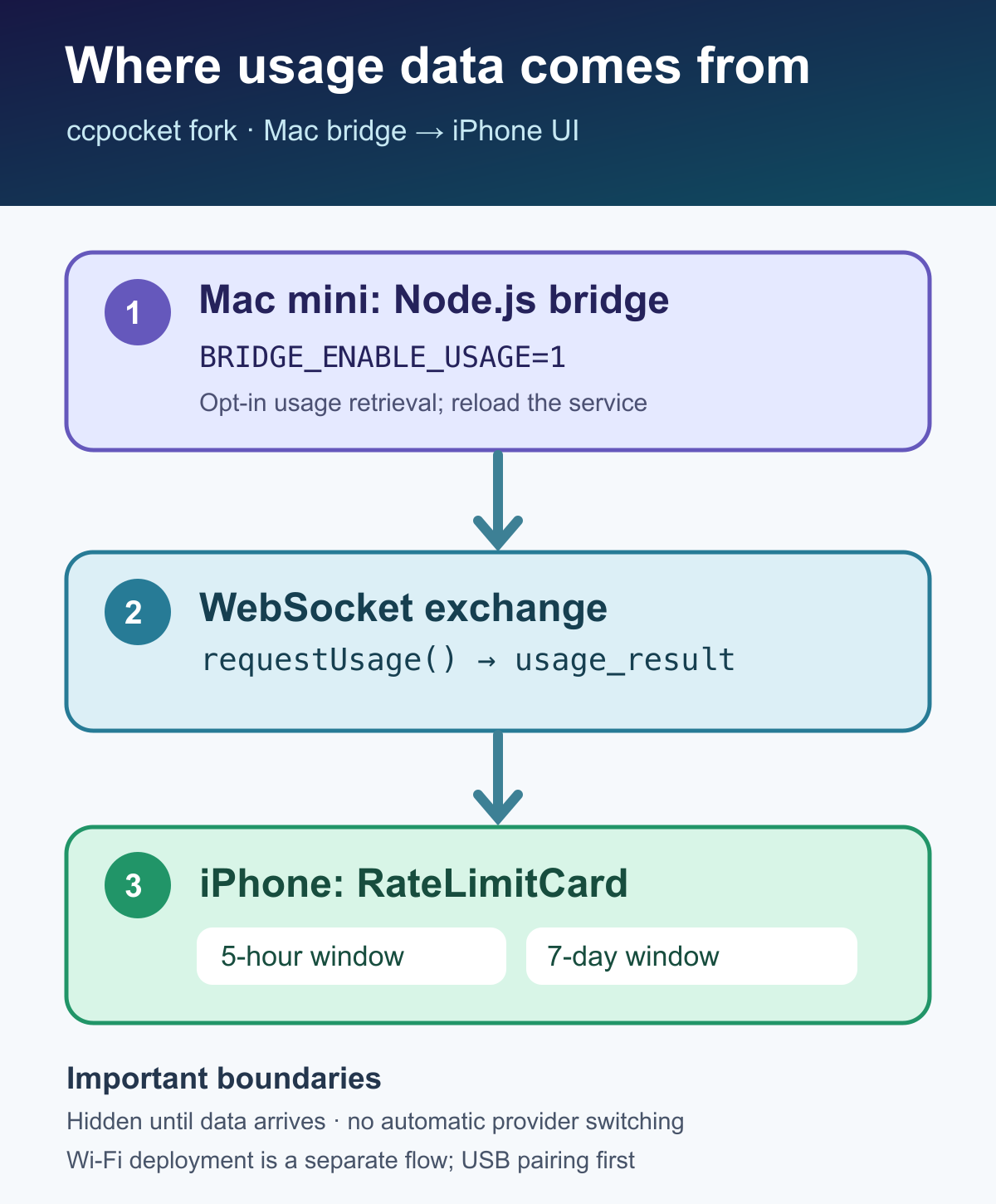
ccpocket communicates with a Node.js bridge running on the Mac through a WebSocket connection. In the version I worked on, the bridge needed an explicit setting before it would retrieve usage information.
In its LaunchAgent plist, add the following setting:
<key>BRIDGE_ENABLE_USAGE</key>
<string>1</string>
Then reload the bridge. These are the commands used in the original setup:
launchctl unload ~/Library/LaunchAgents/ai.ccpocket.bridge.plist
launchctl load ~/Library/LaunchAgents/ai.ccpocket.bridge.plist
Scope: The LaunchAgent label and plist path are specific to this installation. Confirm your service name, current macOS service-management behavior, and the application version before applying them elsewhere. The original article describes the author's existing environment; these commands have not been independently retested for this English adaptation.
2. Display the five-hour and weekly windows
I added a Flutter widget named RateLimitCard to the session list. It displays usage information for Claude Code and Codex, including:
- A five-hour window.
- A weekly, seven-day window.
- A colored progress indicator, changing from green to orange to red as the allowance runs down.
- The time remaining until the next reset.
When the bridge connection becomes available, the app calls requestUsage(). It then listens for a usage_result message and renders the returned values. Until usage data arrives, the card stays hidden. That keeps an unavailable bridge from leaving a misleading or empty indicator on screen.
This is a description of the data flow implemented in my fork. Do not assume that the usage model or reset behavior will be identical across providers or future versions.
3. Deploy the Flutter app over Wi-Fi
For the iPhone development workflow, the Mac mini and iPhone were connected to the same Wi-Fi network.
Prerequisite: Perform the initial USB pairing first. The wireless steps in this article do not remove that initial requirement.
Check whether Flutter detects the device:
flutter devices
Once the device is available for wireless debugging, deploy the build:
flutter run --release
In my Mac mini and iPhone setup, this was sufficient to install updated builds over home Wi-Fi. It let me inspect changes without connecting a cable for every update. For this development workflow I did not need an over-the-air distribution service such as Shorebird.
If Flutter does not detect the iPhone, verify pairing, local network access, and the platform's current wireless-debugging requirements rather than assuming the command alone will establish a connection.
4. Share repository-level skills between Claude Code and Codex
I also defined the ccpocket update workflow as a skill. In that setup, I placed shared instructions under .agents/skills/ in the repository:
<repo>/
└── .agents/
    └── skills/
        └── my-skill/
            └── SKILL.md
The original setup distinguished these global locations:
~/.agents/skills/: shared location in my configuration.~/.claude/skills/: Claude Code-specific location.~/.codex/skills/: Codex-specific location.
I used symbolic links in ~/.agents/skills/ to make existing Codex skills available from Claude Code as well. Directory discovery and support can vary by tool version and settings; check each tool's current documentation before treating this directory arrangement as universal.
What worked—and what remains planned
In this fork, the rate-limit cards could display usage after the bridge supplied data. The iPhone application could also be updated wirelessly after the initial USB pairing.
Those results do not mean that ccpocket automatically switches providers when an allowance is nearly exhausted. Provider switching was a future idea, not a completed feature in the original article.
If you are making a similar feature, validate the bridge setting, the exact usage message, and the client behavior separately. For mobile builds, test device pairing and deployment separately. Keeping these boundaries clear makes failures easier to diagnose.
Original Japanese article: ccpocketにレートリミット残量を表示させた話 — USBなしでiPhoneアプリもワイヤレス更新できた. This English version is a reviewed candidate, not a published WordPress page.