Read the original article in Japanese
English adaptation of the Japanese post published April 11, 2026. The account of reviewing and using a specific skill comes from the author's published experience; it is not a general safety audit of that project.
X is a useful place to discover AI tools, but a recommendation is not the same as a review. A skill may contain few lines of executable code and still influence what an AI agent reads, runs, or writes.
I found a Claude Code diagram-generation skill called fireworks-tech-graph through X. Rather than install it globally at once, I inspected the linked GitHub repository, kept a local copy, removed one external-font dependency from that copy, and tried it on a small set of articles on ichigoro.com.
The skill I investigated
The material I started from was a post by Berryxia.AI on X:
The post described a Claude Code skill for drawing technical diagrams from natural-language descriptions, including Multi-Agent, RAG, and tool-calling architectures. The goal was to reduce manual work aligning shapes, choosing visual styles, and exporting PNG files.
The GitHub README described a workflow in which SVG is generated and converted to PNG with rsvg-convert. Its examples covered architecture diagrams, data flows, flowcharts, sequence diagrams, comparisons, and other formats.
These are descriptions of the linked materials as I reviewed them at the time, not a claim about the repository's current revision.
Why I did not immediately install it
An AI skill is different from an ordinary collection of icons or templates. Its instructions may become part of an agent's operating context.
I therefore checked more than whether I could see an obviously malicious script. My review questions were:
- Does the skill instruct the agent to fetch arbitrary external URLs?
- Does it ask for access to local files or secrets?
- Does it encourage broad, uncontrolled command execution?
- Could its output-path conventions overwrite existing files?
- Does image rendering depend on remote fonts or CDNs?
In the portions I inspected, the main operational instructions centered on producing SVG and converting it with rsvg-convert. I did not find an explicit command to transmit credentials. That observation is limited to the inspected files and should not be read as proof that the repository is harmless.
A small inconsistency in the references
One reference contained a Google Fonts @import example. At the same time, the main README and skill guidance advised against external imports and favored compatibility with rsvg-convert.
I did not consider this, by itself, evidence of a security incident. It did make the rendering workflow less self-contained.
For my local copy, I removed the remote font import example and relied on system fonts. That preserved the ability to compare the upstream repository with the version I actually used.
How I brought the skill into my workflow
Instead of installing it directly as a global Claude Code skill, I cloned the repository into a working directory and inspected the references first. In the original environment, the clone target was a local tools directory; the following portable example uses $HOME rather than that machine-specific absolute path:
git clone https://github.com/yizhiyanhua-ai/fireworks-tech-graph.git "$HOME/Dev/tools/fireworks-tech-graph"
I kept article HTML under article-drafts/fragments/ and diagram assets under article-drafts/assets/. This separation let me review which generated files belonged to which post and avoid treating the WordPress editor as the only copy of the source.
My diagram publishing steps were:
- Choose a part of the article that benefits from a diagram.
- Generate SVG in the local workspace.
- Convert it to PNG using
rsvg-convert. - Transfer the PNG to Xserver.
- Import it into WordPress using
wp-cli. - Update the article HTML to use the WordPress media URL.
- Inspect the public HTML and a phone-sized browser view.
I applied this process to three existing articles: Codex and WP-CLI, AI tools for engineers, and paid blog tools (the original articles were in Japanese when I described this workflow).
The mobile layout changed the output
The first wide diagrams did not work well at phone width. I subsequently favored 1200 × 1600-pixel portrait illustrations, with stacked cards for steps and comparisons.
This is a display decision based on the pages I checked. It is not a claim that every diagram must be portrait or that a particular aspect ratio will increase engagement.
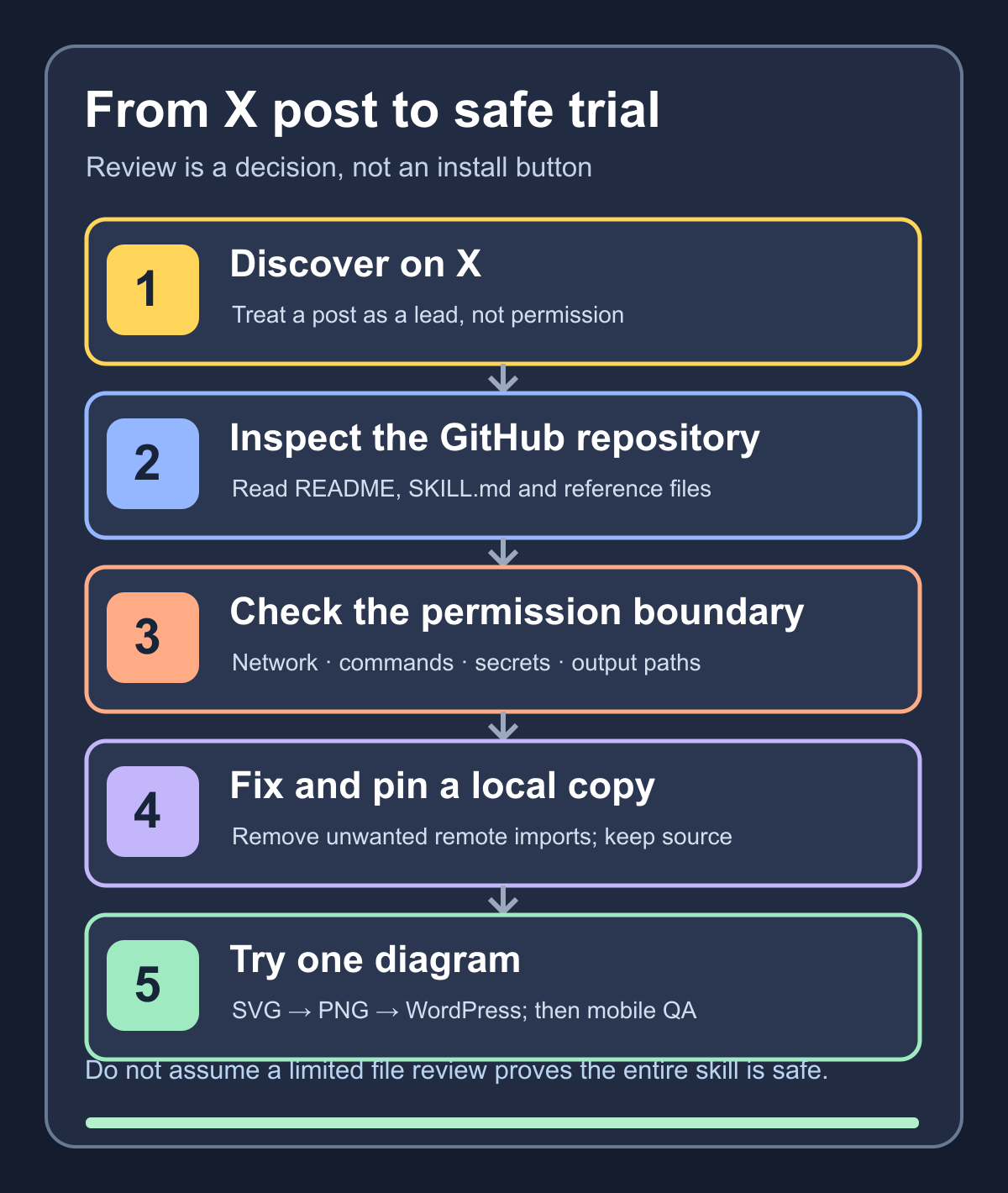
The practical acceptance criteria
My review rule became:
- Use X to discover a candidate.
- Read the GitHub README and the actual skill instructions.
- Check network access, shell commands, file access, and output paths.
- Pin or retain a known local copy.
- Make small, explainable edits to references and templates if necessary.
- Test the first diagram on one existing article before adopting the workflow broadly.
I also checked the public image URL, the HTML path, secret-scan results, and iPhone-sized readability. I did not delegate those release checks entirely to the skill.
A skill can speed up production, but it should not define the permission boundary or silently decide what gets published. The reusable lesson from this experiment is to make discovery, inspection, local testing, and release review separate decisions.